
The Sims 3 Home Building Tutorials
Roofs: Tips for a Better Looking Roof
By Norma Blackburn
| Edit Town | Edit Lots | Houses | Households | Basements/Multistory | Garages | Rooms |
| Pools | Roofs | Slopes | Stairs/Elevators | Wall Curving | Moving | Switch 'hoods |
It's easy enough to just hit auto roof and let the game add a roof for you, but you will most likely get a better look if you take the time and make it yourself. Here are a few tips for building better roofs.
Don't be afraid to experiment with roofs to see how they look. If the result is that horrible, there is always the back button, the sledgehammer tool or the remove all roofs tool.
Roof Height
This would have to be one of the most overlooked aspects of roof building, yet even a small tweak can have a huge impact. Take a look at houses in your street. How many of them have roofs that are higher than the actual house? I'm guessing not a lot, unless of course you live in an alpine region. Yet, many people just accept the roof height that the Sims 3 engine gives them. Take a look at these two houses, identical except one has a lower roof. Of course, a high roof may be the desired look on some builds, on others however, lower is better.

If you have a couple of roof pieces that you have joined together and have adjusted their height, make sure that they are the same height as the roof can look a little odd if there is a difference. If you use the global 'Adjust Roof Height' slider, this won't be a problem, but if you have used the section control, you will need to be a bit more observant. I have found the following method to work well.

As you can see, I have a building with three sections of gable roof and I've raised the middle sections. I want to raise the end sections to the same height as the middle piece so that it's not obvious that there is more than one piece. To do this go into the roof pattern tool and select one of the lighter colours ( I like to use the yellow tile roof) Now when you raise the second piece of roof, you can easily match up the pattern exactly, ensuring both pieces are the same height.
Matching up the pattern on the roof pieces

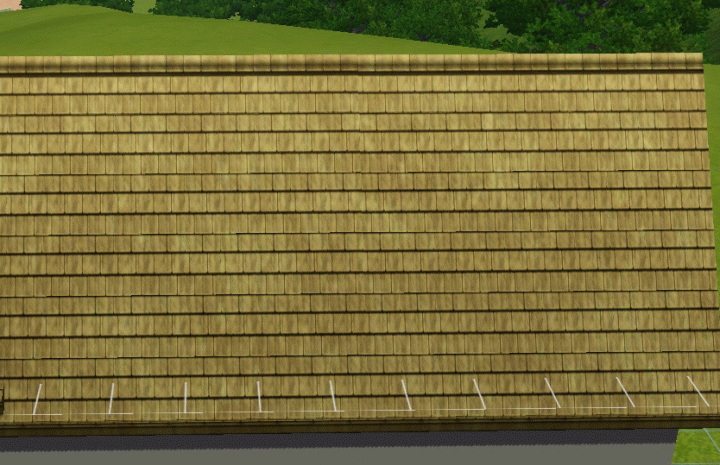
Poorly matched roof. Not all mismatches will be as obvious as this, but you can see the dark panel near the top of the roof. When pieces are not matched properly, you will often get something like this appear.

Roof Support
Roofs need support walls or columns under each corner to be built. These support walls can be removed once the roof is done, but a roof that just floats in mid air looks unrealistic. Try to have some form of support under some of the roof to make it look real.
Putting a roof over a small outcrop
If you have a small area of building that juts out from the rest of the building, it can be interesting to try different methods of adding a roof.
On this house there is a small bay window on the lower floor that needs a roof.

We can use the usual half hipped or half gable roofs or even a flat roof.

Those options are perfectly suitable, but let's look at something different. Try using the conical, domed or octagonal roofs (even try the octagonal pagoda roof)

There are a few points to note however when using any of these roofs.
When you place any of the circular roofs, the roof itself will extend into the house. Because of this many people may delete the roof straight away. In live mode, when your Sim is inside the house it is not visible, plus you can place items where the roof would seem to be and your sim can walk all over the area. When placing these roofs, you will need to move anything that is inside the house in that spot at the time of construction, but once the roof is placed, the furnishings can be replaced.
When you go up a level the roof is visible inside the house.

However, when you are on the same level, there is no sign of the roof and sims can walk over the area and interact with things placed there.

Combining roof types
Remember one thing about the roof tools. They can be used on top of each other to combine to make different looks without having to resort to cheats like moveobjects. So just because your building has a roof, doesn't mean you can't add another piece. Try combining roof types to create a different look. Remember that roofs add no extra cost to a build, so you can stack as many pieces as you like on there.
On this house, I've done the whole roof with the hipped roof. Then I've added a gable to all but the ends. I've highlighted the gable so that you can see it ends two squares from the end on the left and three squares from the end on the right.

Adjust the heights so they match up and you can see in these two pictures the slightly different look it gives.


On this house I'm going to combine three different roofs.
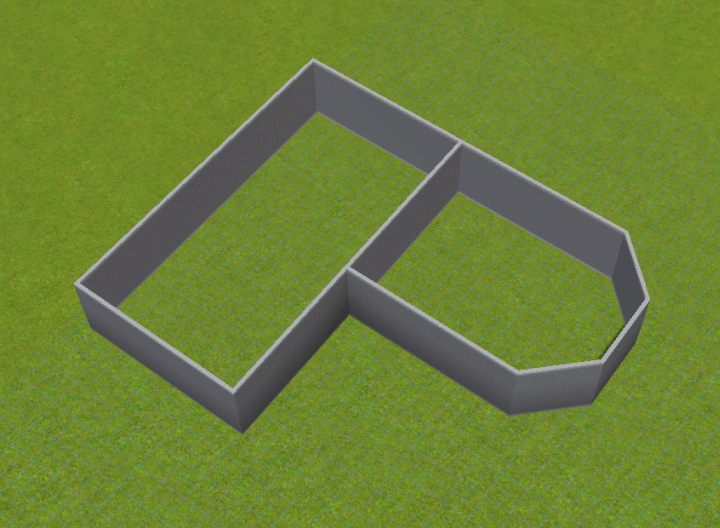
To start I placed an octagonal roof on the front section. Make sure it is a snug fitting roof with no overhang at the front.
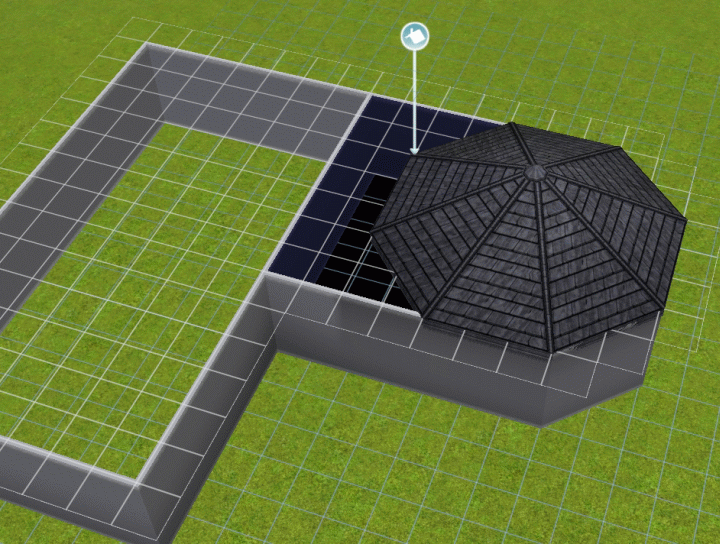
Next I used the gable tool and started about the midway mark of the large rectangular area and extended it to the front, finishing jest before it covers the centre point of the octagon roof.

Finally, I used the hipped tool to enclose the rectangle area.

To finish off I adjusted the heights so that the point of the octagonal roof sits just above the peak of the gable. Note that this type of roof looks best using dark colours.

| Edit Town | Edit Lots | Houses | Households | Basements/Multistory | Garages | Rooms |
| Pools | Roofs | Slopes | Stairs/Elevators | Wall Curving | Moving | Switch 'hoods |
Share Tips and FAQs (1)
Our Sims Forum is the place to go for faster answers to questions and discussions about the game. Use the form below to share your own experiences and provide helpful tips to other readers.
 Reply
Reply Flag
Flag 2
2 0
0

